
Last week I spent 20 minutes looking for an insurance document I knew I had somewhere. I remembered holding it. I remembered thinking "I should put this somewhere safe." And then... nothing. Gone into the void that is my filing system.
Spoiler: I didn't find it. Had to call the insurance company and ask them to send it again. That was embarrassing.
That was the final straw.
The paper problem
I've tried the whole "organized filing system" thing before. Multiple times, actually. Bought folders, labeled them, even had a color-coding system at one point. Blue for finances, green for health stuff, red for important contracts. It lasted maybe three months before everything devolved back into a pile on my desk that I promised myself I'd sort "this weekend."
The thing about paper is that it accumulates faster than you deal with it. A letter here, a receipt there, some document you might need for taxes. Before you know it, you've got a stack of unsorted paper that feels too overwhelming to tackle. So you ignore it. And it grows.
I've also noticed that the important stuff, the things you actually need to find later, tends to blend in with the junk. That one page from your landlord about the rent increase? Buried under three months of promotional mail you swore you'd look at "later."
So over the Christmas holidays, while everyone else was recovering from too much food, I built something.
Digitize
It's a web app that turns any phone into a document scanner. Nothing revolutionary. There are probably a hundred apps that do this. Genius Scan, Adobe Scan, whatever. But none of them did exactly what I wanted, and more importantly, none of them let me keep my documents on my own server.
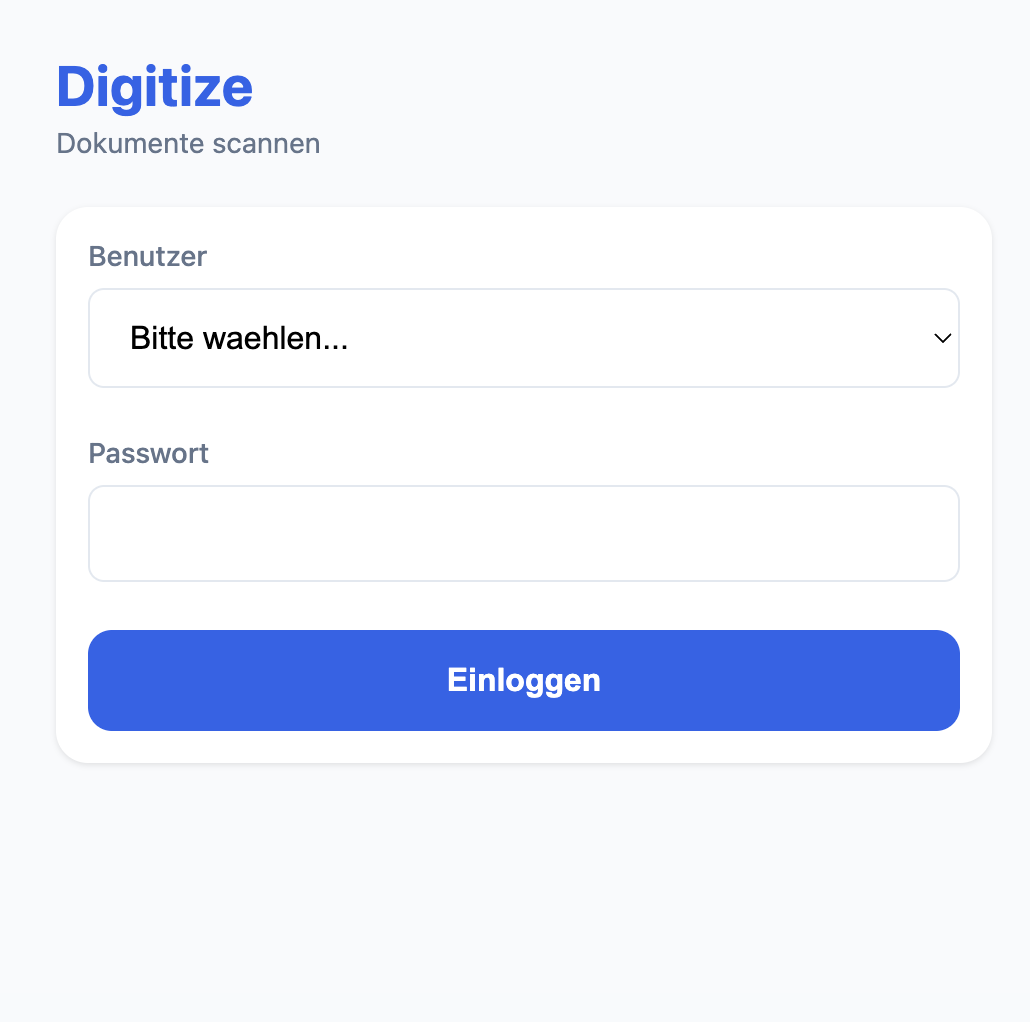
The interface is German because, well, that's what I speak at home. Seemed weird to build a tool for myself in a language I don't think in. Melissa and I each have our own login with separate document folders, plus a shared one for household stuff like utility bills, the rental contract, anything we both might need to access.
The 51 MB you see there is how much we've scanned so far. Doesn't sound like much, but that's basically every piece of paper that came into this apartment in the last week. Christmas apparently means a lot of mail.
The whole thing runs in a Docker container on my home server. PHP for the backend because it's simple and I know it well. Python handles the PDF processing, specifically a library called ocrmypdf that does the heavy lifting. Tesseract for the actual OCR, with German and English language packs because we get mail in both.
Nginx sits in front, handles HTTPS with a self-signed cert. Not pretty, but it works for something that only lives on my local network anyway.
How it actually works
You open it on your phone, tap the plus button, and it opens the camera. Snap a photo of each page. The app shows you a preview of what you've captured so far, which is helpful when you're scanning a 5-page contract and lose track of where you are.
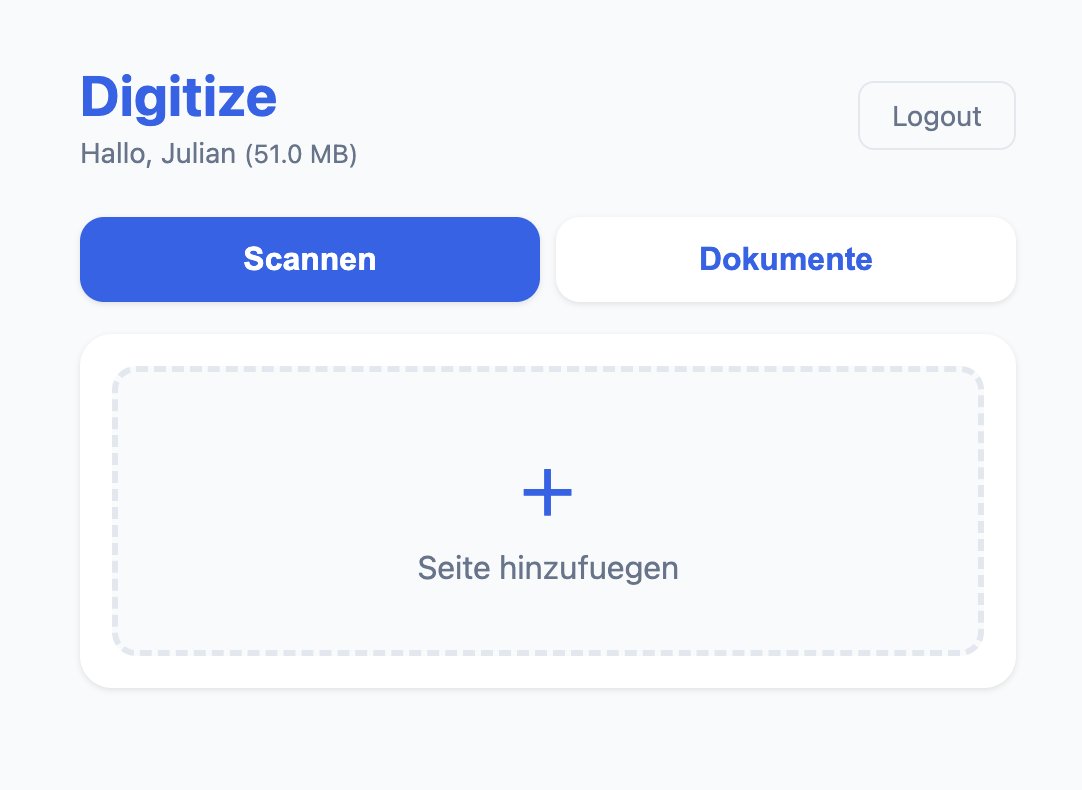
Once you've got all your pages, you give the document a name and pick which folder it goes into (your personal one or the shared household folder). Hit save, and the backend takes over.
This is where it gets interesting. The images get sent to a Python script that converts them into a single PDF, runs OCR on every page, and optimizes the file size. A typical document comes out at around 2-3 MB. Small enough to not be annoying, but high enough quality that you can still read everything clearly.
The OCR part is what makes this actually useful day-to-day. Every document becomes searchable. Need that electricity bill from October? Search "Strom Oktober" and there it is. Looking for anything from Deutsche Telekom? Just search the name. No more opening twenty PDFs hoping one of them is the right one.
Documents get organized by date automatically. My folder structure ends up looking like 2025/12/27/contract-whatever.pdf. I don't have to think about where to put things or which category they belong to. The date is enough. If I roughly remember when something arrived, I can find it.
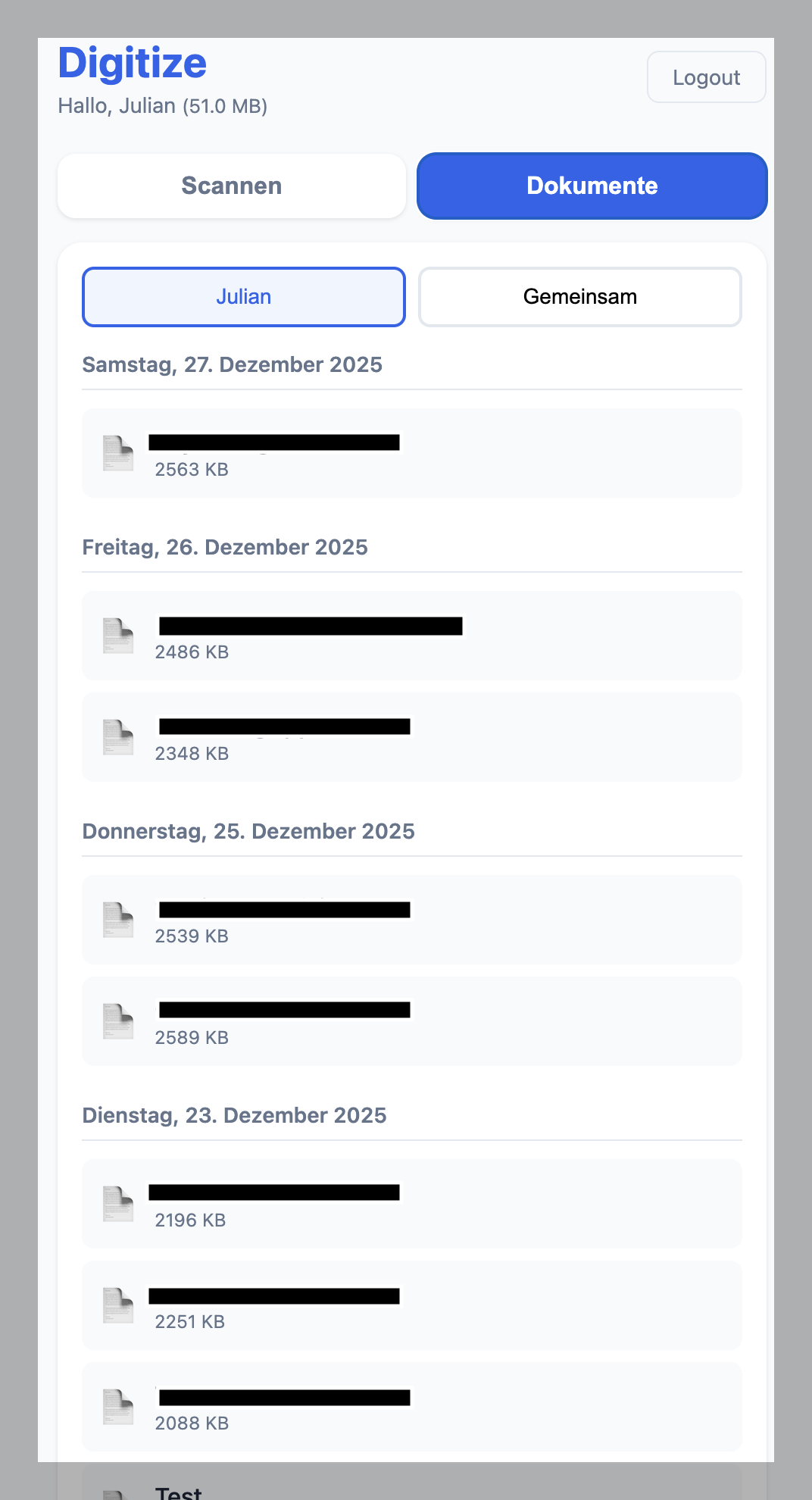
The document list groups everything by day, which maps nicely to how I actually think about mail. "That letter came last Friday" is usually how I remember things, not "that letter is in the insurance folder."
The daily workflow
Here's what actually happens now when mail arrives:
Letter comes in. I open it, take maybe 10 seconds to decide if it's worth keeping. Most promotional stuff goes straight to recycling, no scanning needed. But anything that looks even remotely important gets the treatment.
I pull out my phone, open Digitize (it's saved as a home screen shortcut, so it launches like a native app), snap photos of each page. Takes maybe 15 seconds for a typical one-page letter. Multi-page stuff takes a bit longer, but rarely more than a minute.
Name it something descriptive like "telekom-rechnung-dezember" or "versicherung-bestaetigung", pick the folder, save. Done.
Then comes the satisfying part: the shredder. There's something weirdly cathartic about watching a piece of paper turn into confetti immediately after digitizing it. Like closing a browser tab after finishing a task. The physical object is gone, but the information is preserved. Feels like progress.
Total time from envelope to shredder: maybe 30 to 45 seconds per document. That's short enough that I actually do it immediately instead of letting things pile up.
The Samba trick
One thing I added that turned out to be more useful than expected: SMB file sharing. The same Docker container runs a Samba server, which means all my scanned documents show up directly in the iOS Files app.
This matters because sometimes I need a document when I'm not at home. Job interview wants proof of address? I can pull it up on my phone without opening a browser, logging in, navigating to the right folder. It's just... there. Like any other file on my device.
Setting up Samba in Docker was a bit of a pain, honestly. Getting the permissions right, making sure it plays nice with iOS's particular SMB implementation, dealing with the fact that iOS sometimes just decides to disconnect for no reason. But once it worked, it worked well.
Why not just use an existing app
Fair question. There are plenty of document scanning apps out there, many of them quite good. So why build my own?
Privacy is the main thing. I don't love the idea of my tax documents, contracts, salary statements, and personal letters sitting on some company's servers. Even if they promise end-to-end encryption, even if they're probably fine. I'd rather just not. If I can self-host it, I will.
There's also the subscription thing. Most of the good scanning apps want a monthly fee for OCR or cloud sync or whatever. I get it, they need to make money. But I already have a server running 24/7. I already pay for storage. Adding another monthly subscription for something I can build myself in a weekend feels unnecessary.
And then there's the customization aspect. The German interface, the specific folder structure, the way documents are named, the Samba integration. All of that is exactly how I want it because I built it for myself. No compromises, no "that feature is coming in the next update," no hoping the company doesn't pivot to something else.
Finally, honestly? It was just a fun project. Sometimes you build things not because they're strictly necessary, but because the building itself is enjoyable. A quiet week between Christmas and New Year, some hot chocolate, and a clear goal. Good times.
One week in
So how's it going?
My desk is clear. Like, actually clear. Not "clear except for that one stack I'm pretending isn't there" but actually empty except for my keyboard and monitor. There's one small tray for incoming mail that gets processed within a day or two at most. Everything else is digital, backed up, searchable.
I've already had one moment where this paid off. Needed to check something on our internet contract, how long the minimum term was. Opened Files on my phone, searched "telekom vertrag," found it in seconds. Previously that would have been a 15-minute expedition into the filing cabinet, assuming I even filed it correctly.
The real test will be tax season though. Every year I spend an entire weekend hunting down receipts, bank statements, and whatever else the Finanzamt wants. If I can pull together everything I need in under an hour this time, this project will have paid for itself in saved frustration alone.
Ask me again in April how that went.
For now, I'm just enjoying the empty desk. And the fact that when my insurance sends that replacement document, I'll know exactly what to do with it.
